How do I import delivery orders from Excel or CSV without mixing up the dates?
Short answer
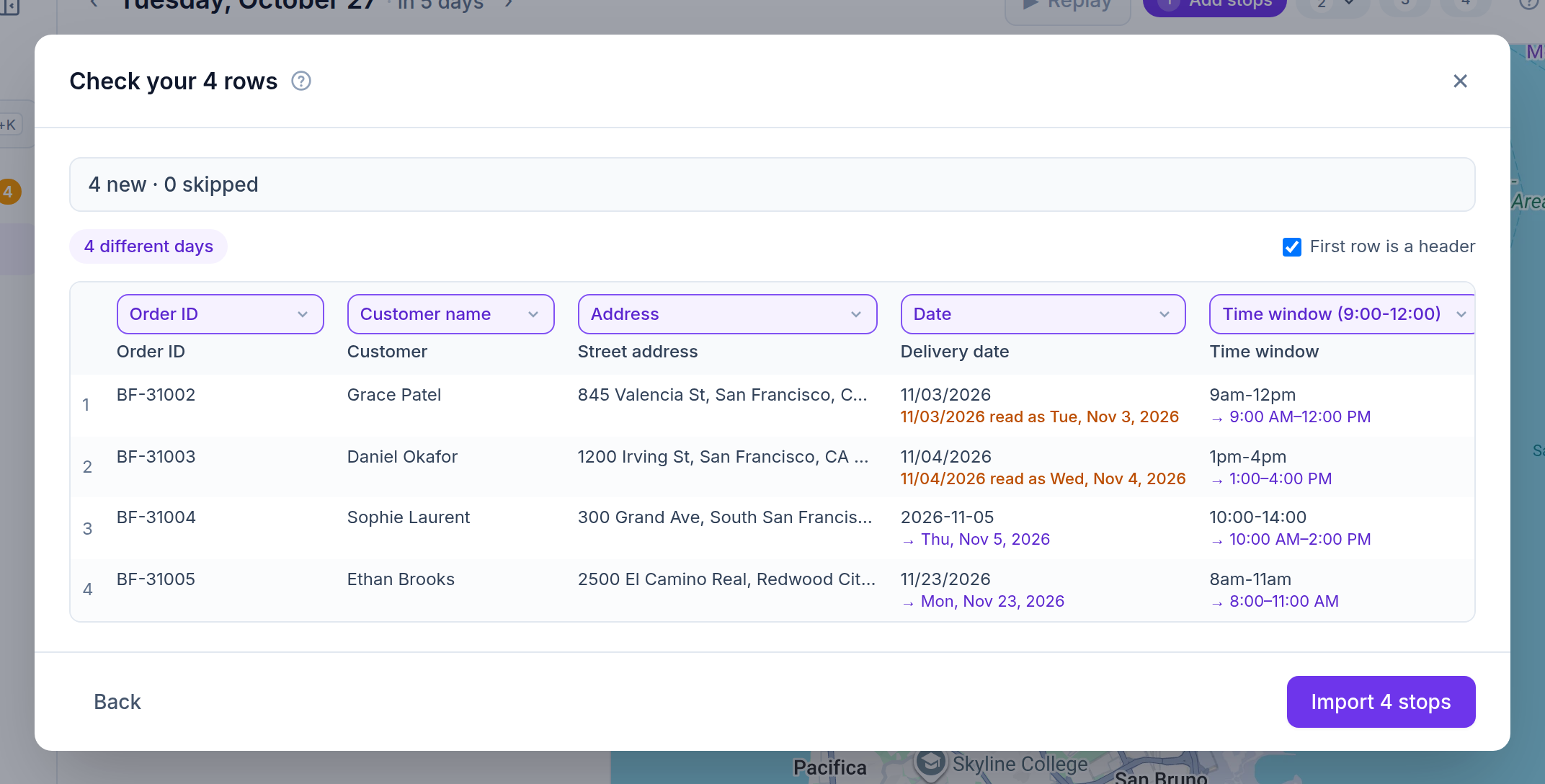
Paste rows from Excel or Google Sheets, or drop in an .xlsx or CSV file, and Afi Planner shows how it read every cell before anything is imported. Dates follow your company’s country (month first in the US, day first elsewhere), and a date that could be read two ways, such as 11/03/2026, is shown in amber with the day it was read as. Real Excel date cells and dates written as 2026-11-03 have only one reading.
How it works in Afi Planner
See every date before you import
Under each cell the preview shows how it was read: “11/03/2026 read as Tue, Nov 3, 2026” in amber when day and month could swap, and a plain reading when they can’t (11/23/2026 can only be November 23). Times are read the same way, so “9am-12pm” shows as 9:00 AM–12:00 PM before it becomes a time window.
- Dates with English month names (“Mar 4, 2026”), and a date written with its time
- Times with seconds or written as 0930
- If a reading is wrong, write the date as 2026-07-04 or use an Excel file with real dates
Your columns, many days, no duplicates
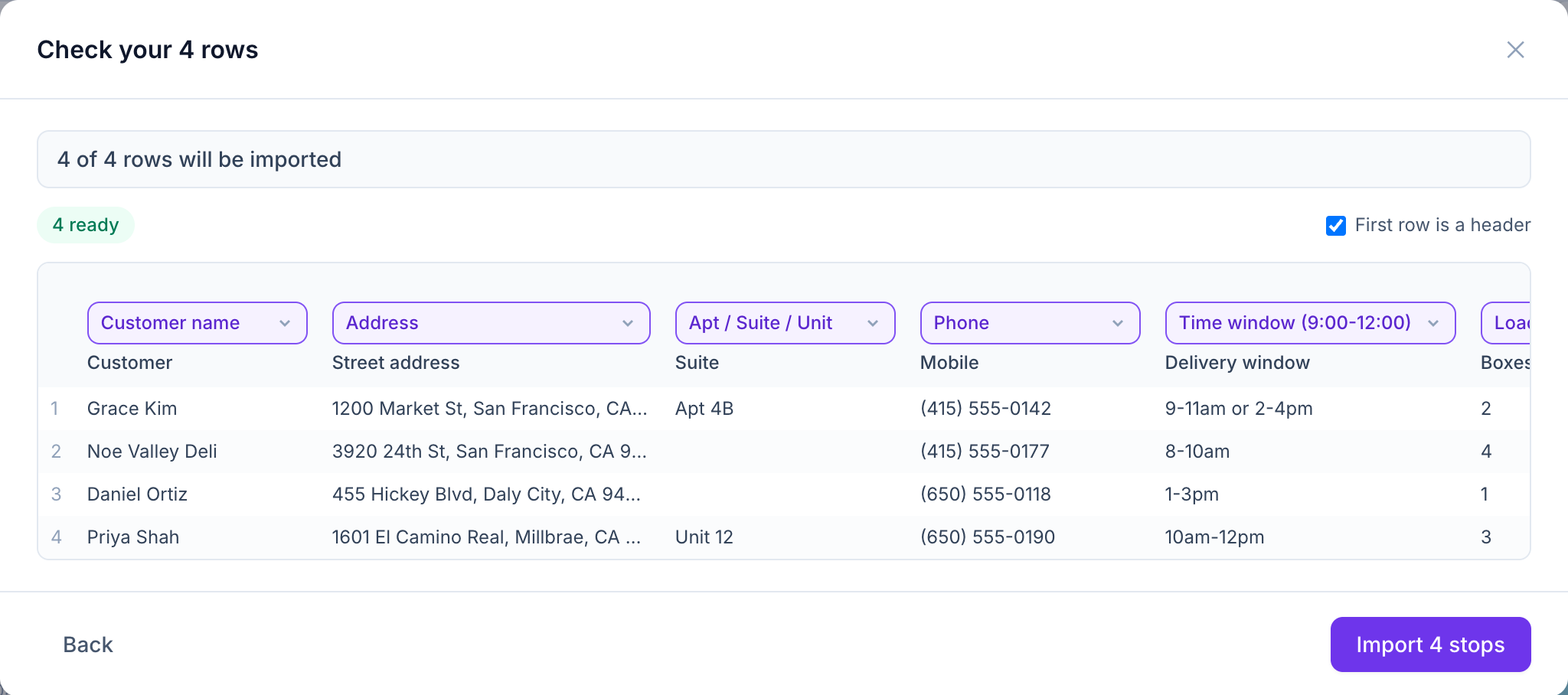
Common column names in English, Spanish, Vietnamese and Swedish are matched automatically, and Afi Planner remembers any column you match yourself. Add a date column and the orders are spread over the right days.
- The same order imported twice is updated, not doubled
- Delivered orders are never overwritten
- Addresses get a quality check, and vague ones are flagged before a driver gets lost
Try it in the live demo
A fictional delivery company in the middle of its day. Read-only, no sign-up.
Open the live demo →Feature
Import & addresses
Paste orders from Excel or Google Sheets, or drop in a CSV. Column names are recognized in four languages, addresses are checked and a pin is fixed in seconds.
7 steps · 4 min read
How to import delivery stops from Excel, CSV or Google Sheets
Frequently asked questions
What file types can I import?
Excel (.xlsx), CSV, or rows pasted straight from Excel or Google Sheets.
Can one file hold several days?
Yes. Add a date column and the orders go to their own days; the preview says how many days the file covers.
Our company is outside the US. Is 03/04 March 4?
No. Outside the US dates are read day first, so 03/04 is April 3; the preview shows the day it was read as, in amber, before you import.
More answers
- How do I add new orders after my drivers have already left?
- How can I see exactly what happened on a delivery day, minute by minute?
- Is there one list of everything a dispatcher needs to act on during the day?
- Can my customers track their delivery with a live ETA and see proof of delivery?
- Does the driver app work without a signal?
- Does Afi Planner have an API with webhooks?
- How do I plan delivery routes for multiple drivers?
- How should a food and beverage distributor plan truck routes?
- How do I calculate cost per delivery stop?
- Why was a stop left off my routes? Reading unassigned-stop reasons
- What route planning software works for a courier company?
- How do I replace spreadsheet route planning? A 1-day switch plan
- How can I reduce delivery costs? A dispatcher’s checklist
- How many stops per hour should a delivery driver make? And how to measure it
- Route planner vs route optimization software: what is the difference?
- What route software supports recurring weekly deliveries to the same customers?
Plan tomorrow’s routes in minutes
Start your free 3-month trial. No credit card, no setup call, no installation.